
Opening Raw FLIM Data#
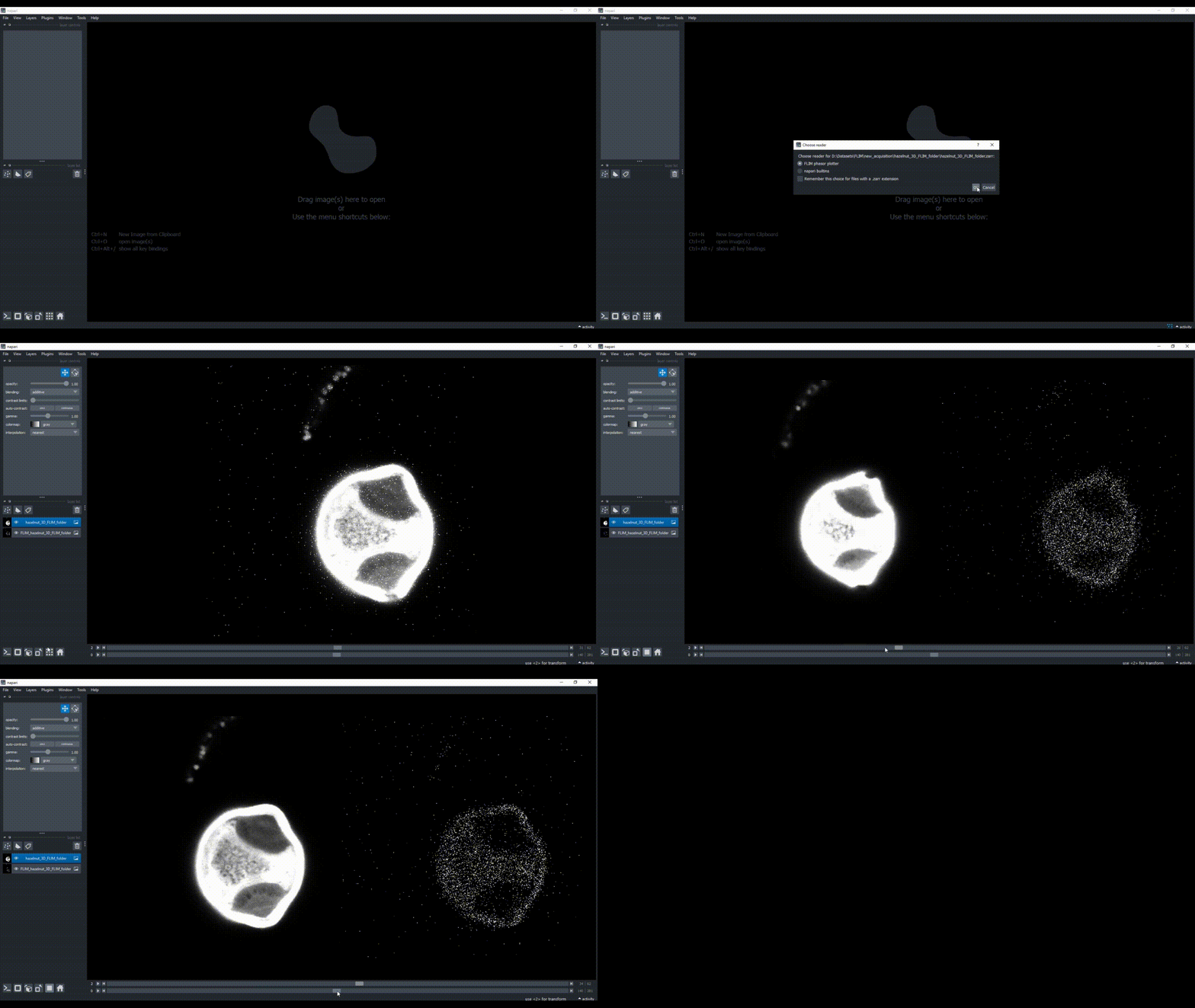
You can open raw fluorescence lifetime imaging microscopy (FLIM) data in napari by dragging and dropping compatible files (or folders with files for stacks) into the viewer.
Input Data Types#
This plugin can read the following FLIM file types:
.ptu.sdt.tif(includingome.tif).zarr
This plugin works with the following data shapes:
2D FLIM images (actually 3D data where FLIM counts are in the first axis, i.e.,
(photon_counts, y, x)).3D FLIM images (actually 4D data where FLIM counts are in the first axis, i.e.,
(photon_counts, z, y, x)).3D timelapse FLIM images (actually 5D data where FLIM counts are in the first axis, i.e.,
(photon_counts, t, z, y, x)).Multichannel
.tifor.zarrdata may need to be loaded separately.
If you read your files using this plugin as a reader, it returns and works with the data axes in the following order (data from multiple detectors are displayed as distinct napari layers):
(photon_counts, time, z, y, x)
Even if the data is 2D, the plugin will add a unitary time and a z axis.
It also provides the standard intensity image in another layer by summing the photon_counts dimension.
Opening a Raw FLIM Image#
Drag and drop a compatible file format (check supported file formats above) to open a FLIM image. It gets displayed in two layer: a ‘raw FLIM image series’ (a sequence of intensity images each corresponding to an individual time point of the FLIM ‘micro-time’), and a timely summed up image (usually just known as the ‘intensity’ image). Scrolling through the FLIM time series provides a first glimpse of lifetimes across image regions.
Loading Stacks#
If you have multiple slices or time-points as separated files, you can choose a folder containing the files. In order for the plugin to properly build a stack, the file names must contain some indication about which slice or time-point they represent, i.e., each file name should contain a _t and/or _z followed by a number.
Here are a few example templates:
timelapse:
image_t001.ptuimage_t002.ptu
z-stack:
image_z01.sdtimage_z02.sdt
3D timelapse:
image_t001_z001.tifimage_t001_z002.tif…
image_t002_z001.tif
Sample Data#
The plugin comes with a few sample FLIM raw images:
‘2D’ raw FLIM images:
Hazelnut (originally a
.ptufile)Seminal Receptacle (originally a
.sdtfile)
‘3D’ raw FLIM image stack (Hazelnut 3D)
Hazelnut 3D (originally a series of
.ptufiles)
‘2D’ synthetic FLIM image
Lifetime Cat
To load it, go to File > Open Sample -> FLIM phasor plotter.